
Visual Concept Director
Turn a creative brief into a concise image prompt with deliberate subject, medium, setting, light, mood, and framing.
Make it yours
Add your details and the prompt updates as you type. Or copy the reusable template to fill in later.
Why does each prompt ask different questions?
Each [PLACEHOLDER] in a prompt becomes a field. A meeting prompt may ask for notes; a learning prompt may ask for a topic. When you share your own prompt, you choose these placeholders. See an example →
Describe the main person, object, or idea you want to show.
Add the medium for your task. A short description or pasted notes work well.
Add the setting for your task. A short description or pasted notes work well.
Add the light for your task. A short description or pasted notes work well.
Name the colors or visual references you want the image to use.
Add the mood for your task. A short description or pasted notes work well.
Add the composition for your task. A short description or pasted notes work well.
For example: 1:1 square, 4:5 portrait, or 16:9 landscape.
Your prompt
The complete template, ready to reuse.
Free to copy. No account needed.
Try it in your AI tool
Choose a tool to copy this prompt and open a new tab. Paste it there to get started.
Your chosen service may require sign-in. Features and usage limits vary; choose a tool that supports the result you want.
Paste into your image-generation tool, run it, and review the result.
What to expect
A compact visual prompt plus controlled variants for literalness, variation, and composition.
This describes the intended result. Review your output for accuracy and fit.
A little context goes a long way
- Fill in the details above, or replace any remaining [placeholders] after copying.
- Keep the final image prompt concise.
- Describe what should appear rather than long negative lists.
- Put parameters at the end and test one controlled change at a time.
Make the result work for you
Use this as a starting point in your image-generation tool. Results vary by tool and context. Check the output, add what’s missing, and ask for a revision.
New to prompts? Start hereReport a problem with this prompt
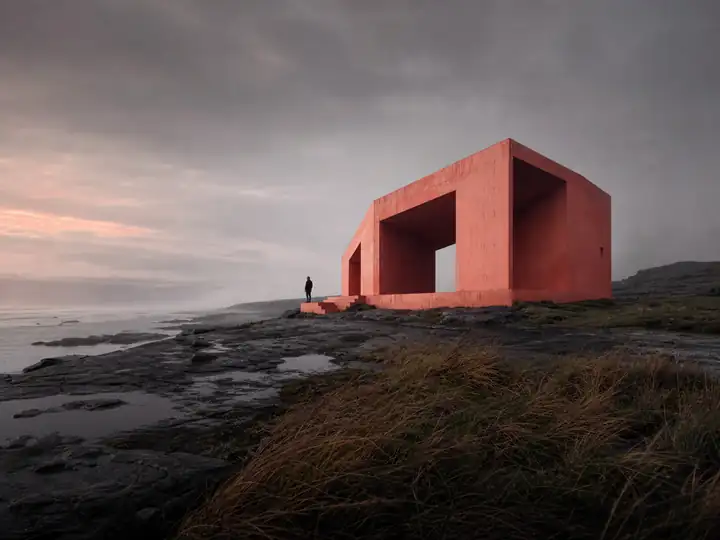
A visual starting point
This library illustration gives a sense of the style. Your choices and image tool will shape the result; it is not a recorded test output for your personalized prompt.